

Airbnb
Airbnb App Review and Guide
Airbnb connects travelers with unique accommodations worldwide, allowing hosts to share their spaces while providing guests with authentic local experiences. It’s a platform built around short-term rentals, offering everything from private rooms to entire homes across more than two million properties in over 190 countries.
Users leverage Airbnb for everything from weekend city breaks to extended stays or long-term rentals, benefiting from a diverse range of options curated by individual hosts worldwide.
App Features
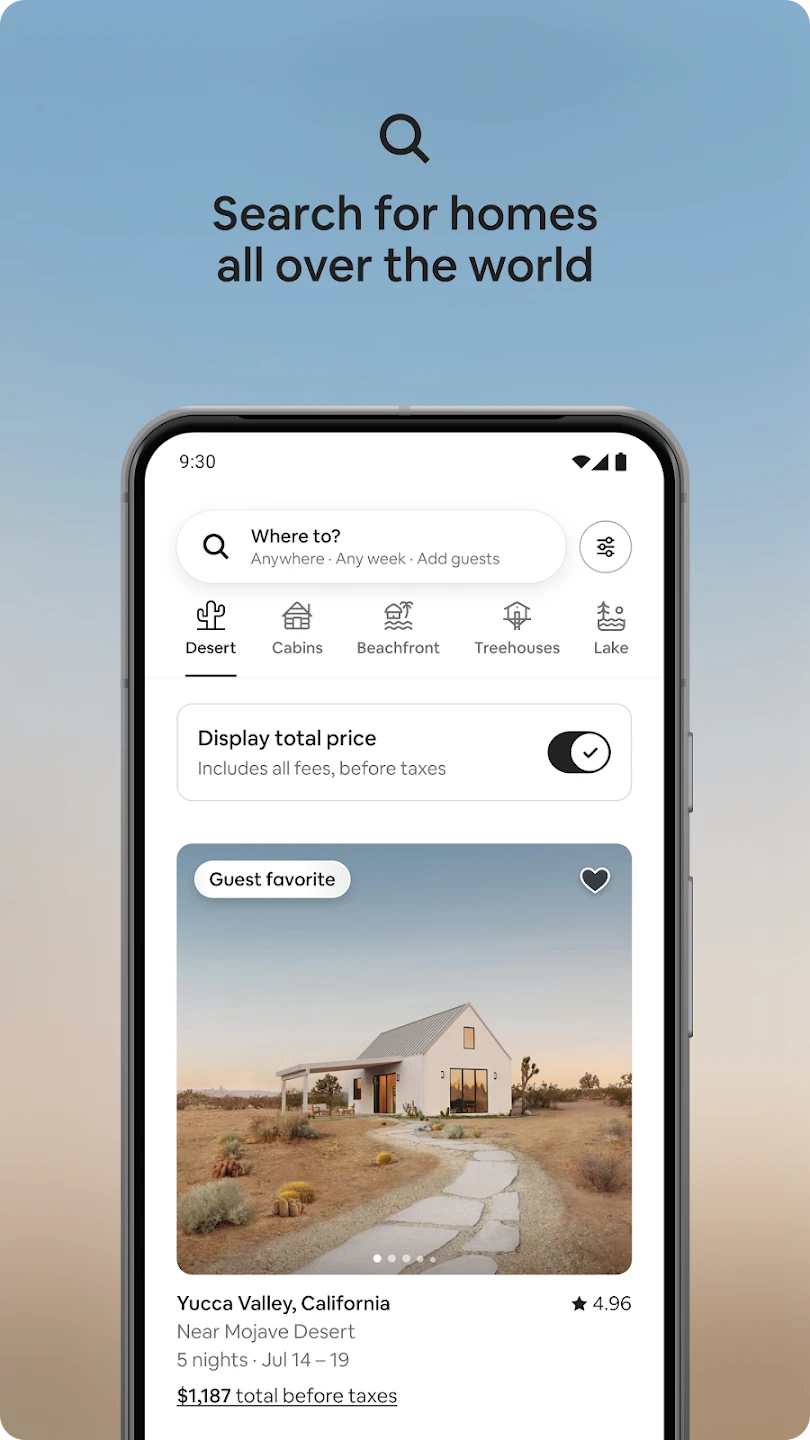
Search and Book Unique Stays
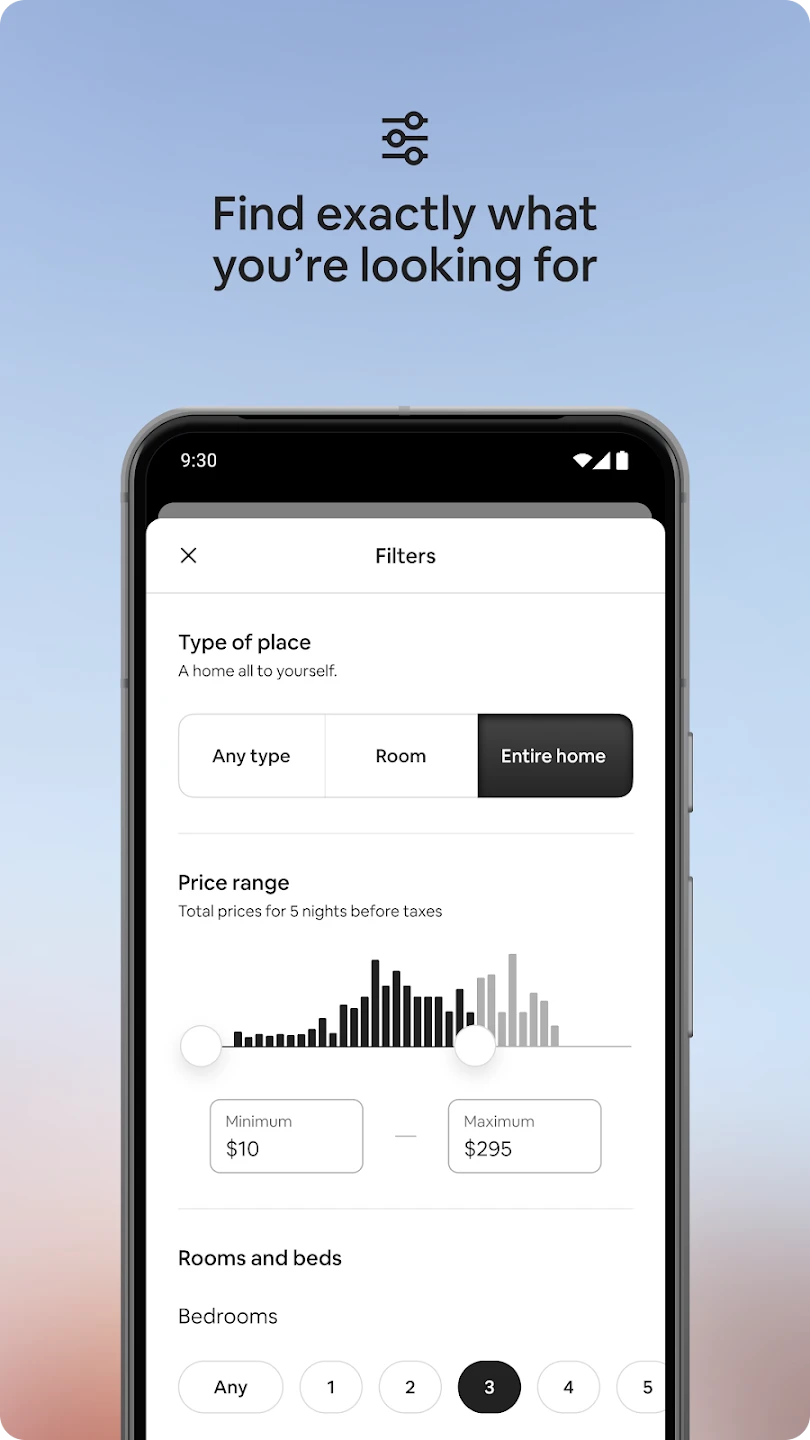
Easily browse and filter millions of properties across the globe by location, price, amenities, and property type. You can view high-resolution photos, read detailed descriptions, and check verified reviews before booking your perfect stay.
Discover Local Experiences
Beyond accommodation, the app offers Airbnb Experiences—locally guided tours, classes, or events ranging from cooking and yoga to city walks and nature hikes, letting travelers explore like locals.
Secure Messaging System
Communicate directly with hosts or guests through the in-app messaging platform to ask questions, confirm details, or coordinate check-in arrangements—without sharing personal contact info.
Booking Management for Guests and Hosts
Guests can manage upcoming trips, cancel reservations, and contact support. Hosts can list new properties, update calendars and pricing, message guests, and track performance all from the app.
Verified Identity & Reviews
Airbnb enforces identity verification for added trust. Guests and hosts can also leave mutual reviews after each stay, creating a transparent reputation system.
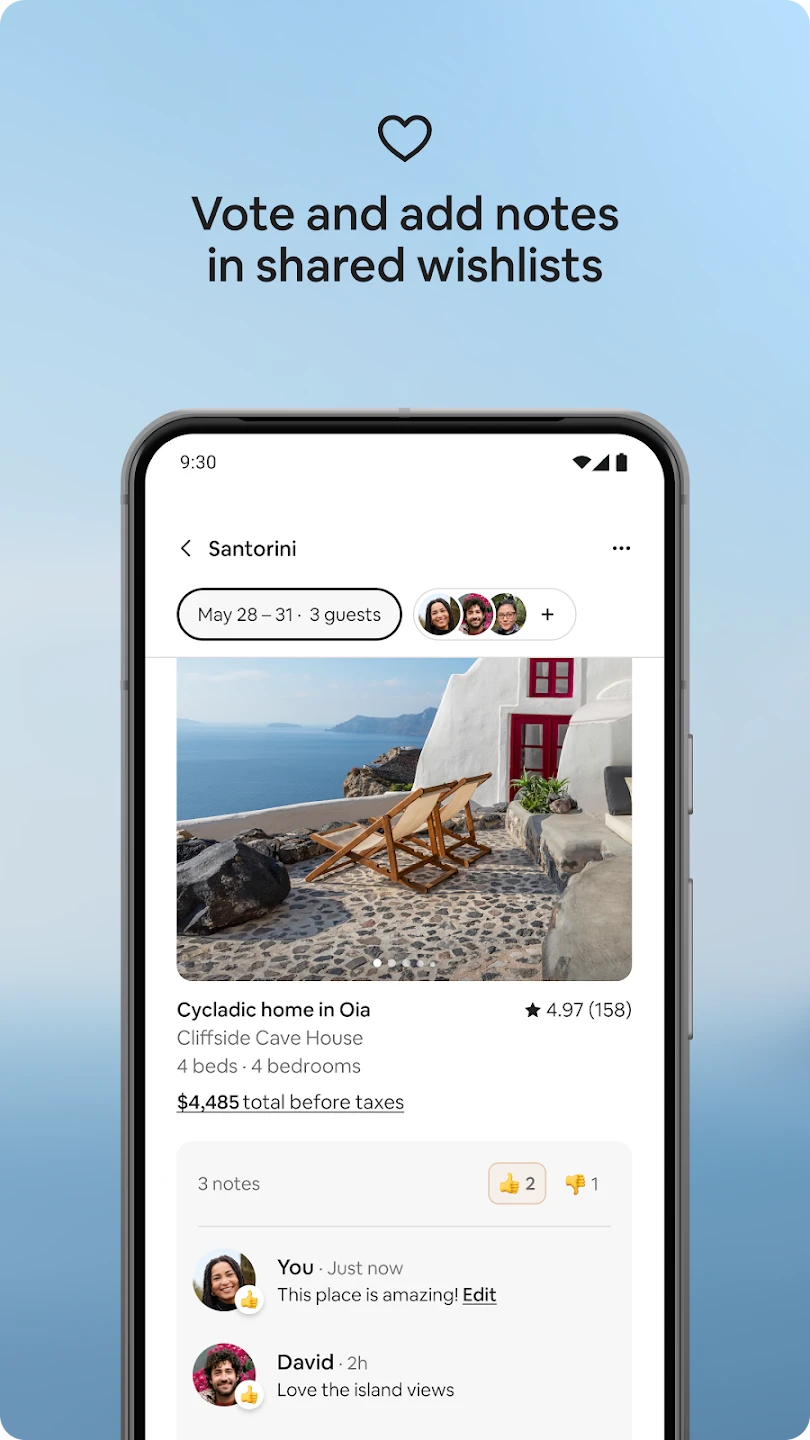
Saved Favorites & Wishlists
Users can “heart” listings and organize them into wishlists by theme, trip, or group. Great for planning future vacations or comparing stays with friends.
Multi-Language and Currency Support
Supports over 60 languages and multiple currencies, making it user-friendly for global travelers.
Pros & Cons
Pros:
-
Wide Variety of Stays and Experiences
From luxury villas to shared rooms, and from food tours to animal encounters, the app offers unparalleled travel flexibility. -
Easy Communication with Hosts
The messaging system makes it simple to confirm logistics, ask questions, or request early check-ins. -
User-Centric Design
The app is visually appealing and intuitive, making it easy to navigate even for first-time users. -
Powerful Filters and Search Tools
Advanced filters help travelers quickly narrow down properties by needs, preferences, or even sustainability practices.
Cons:
-
High Service Fees
In some regions, Airbnb’s service fees can add significantly to the total cost of a stay, especially for short bookings. -
Inconsistent Quality Across Listings
Unlike hotels, Airbnb properties vary widely in cleanliness, amenities, and accuracy—making careful vetting essential. -
Cancellation Policy Complexity
Each host sets their own cancellation policy, which can be confusing and sometimes restrictive for guests. -
Limited Customer Support Access
Reaching live support during booking disputes or emergency situations can be time-consuming.
Similar Apps
| App Name | Highlights |
|---|---|
| Vrbo | Focuses on entire homes, ideal for families or group travel; often no shared spaces. |
| Booking.com | Offers both hotels and apartments, with free cancellation and 24/7 customer service. |
| Expedia | Includes vacation rentals, hotels, car rentals, and flights in one interface. |
| Agoda Homes | Popular in Asia, with discounts on long stays and user-friendly mobile filters. |
| Plum Guide | Curated listings that meet strict quality standards for higher-end travel. |
Frequently Asked Questions
Q: How do I book a stay using the Airbnb app?
A: Open the app, enter your destination, travel dates, and number of guests. Browse listings, use filters if needed, then tap on your desired property to see full details. Once you’re ready, tap “Reserve” or “Request to Book,” and follow the secure payment process.
Q: What should I do if my host doesn’t respond?
A: If a host is unresponsive, try sending a follow-up message. If there’s no reply within 24 hours, you can cancel your request and look for other options. Airbnb support can also help rebook or refund under certain policies.
Q: Can I cancel my reservation for free?
A: It depends on the host’s cancellation policy, which could be flexible, moderate, or strict. Always check the cancellation terms in the listing before booking.
Q: Is Airbnb safe to use?
A: Airbnb has verification systems, a review system, secure payments, and a 24/7 support team to enhance safety. However, it’s always wise to book with highly rated hosts and read reviews carefully.
Q: Can I list my home on Airbnb through the app?
A: Yes, you can become a host directly from the app. Just tap “Become a Host,” follow the setup guide, upload photos, set pricing and availability, and publish your listing. You can then manage all bookings and communication through the app.
Screenshots
 |
 |
 |
|
Airbnb App Download |
|
|---|---|
 |
 |